
Leganto May 2025 Release Notes
June 2025 Sneak Preview
-
Display related items and other formats and editions to students
Main Features
Additional Page Range Fields for Book Extracts, Part 2
May 2025 Fulfillment and Resource Sharing  CERV Enhancement (ID #8145) URM-227483
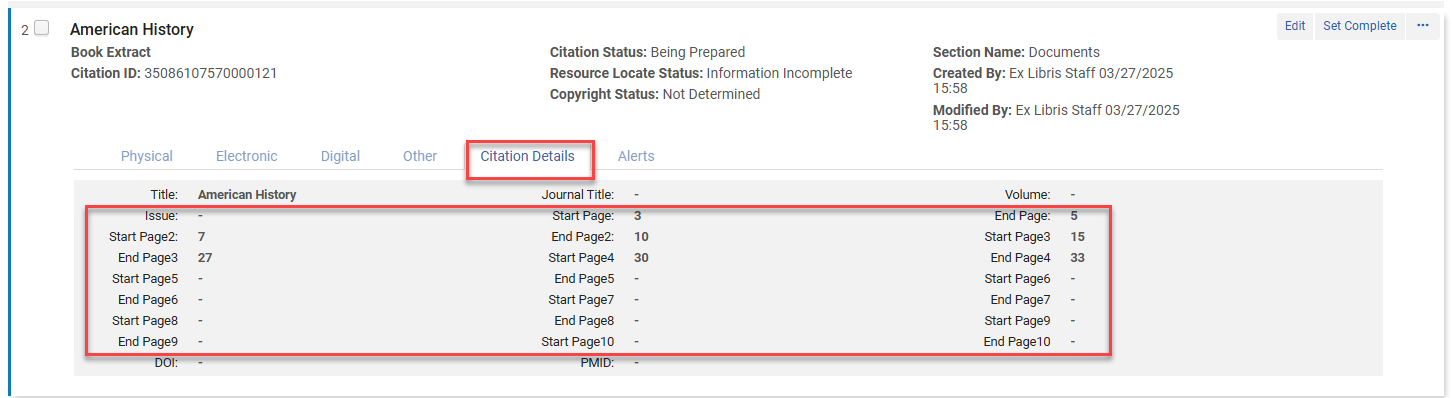
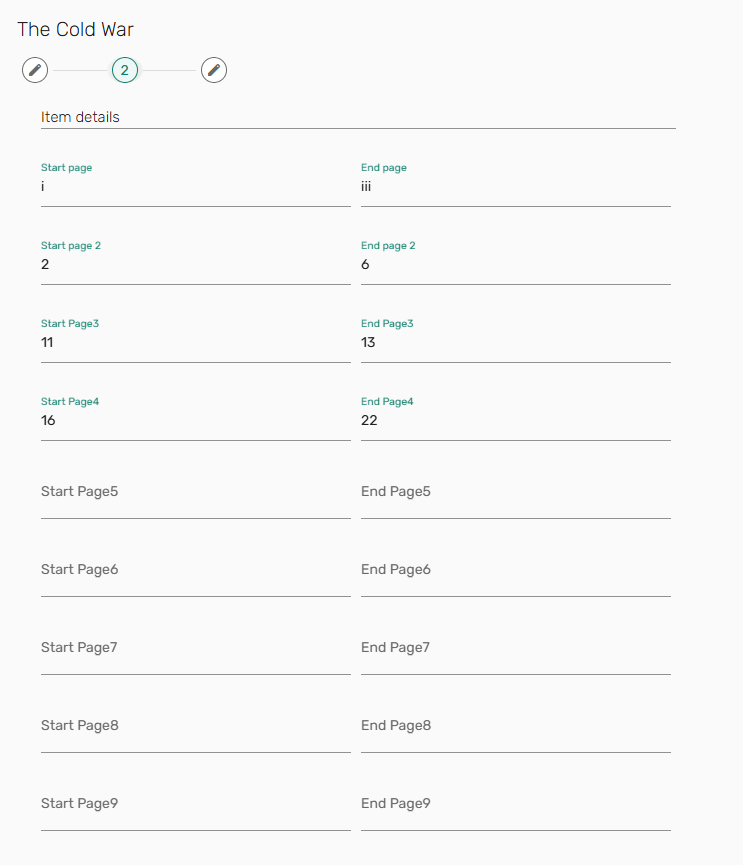
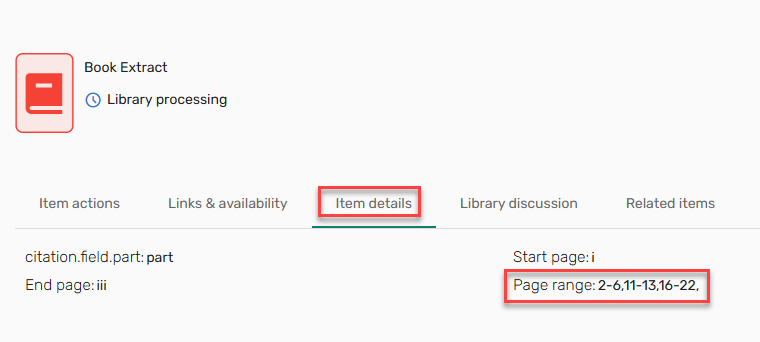
To assist library staff in managing requests for various page ranges, we have increased the number of page range fields for the Citation Type Book Extract. The configuration field for the additional page ranges is now called Page ranges 2-10(Configuration > Leganto > UI > Citation Field Mapping). Users can request up to 10 page ranges.
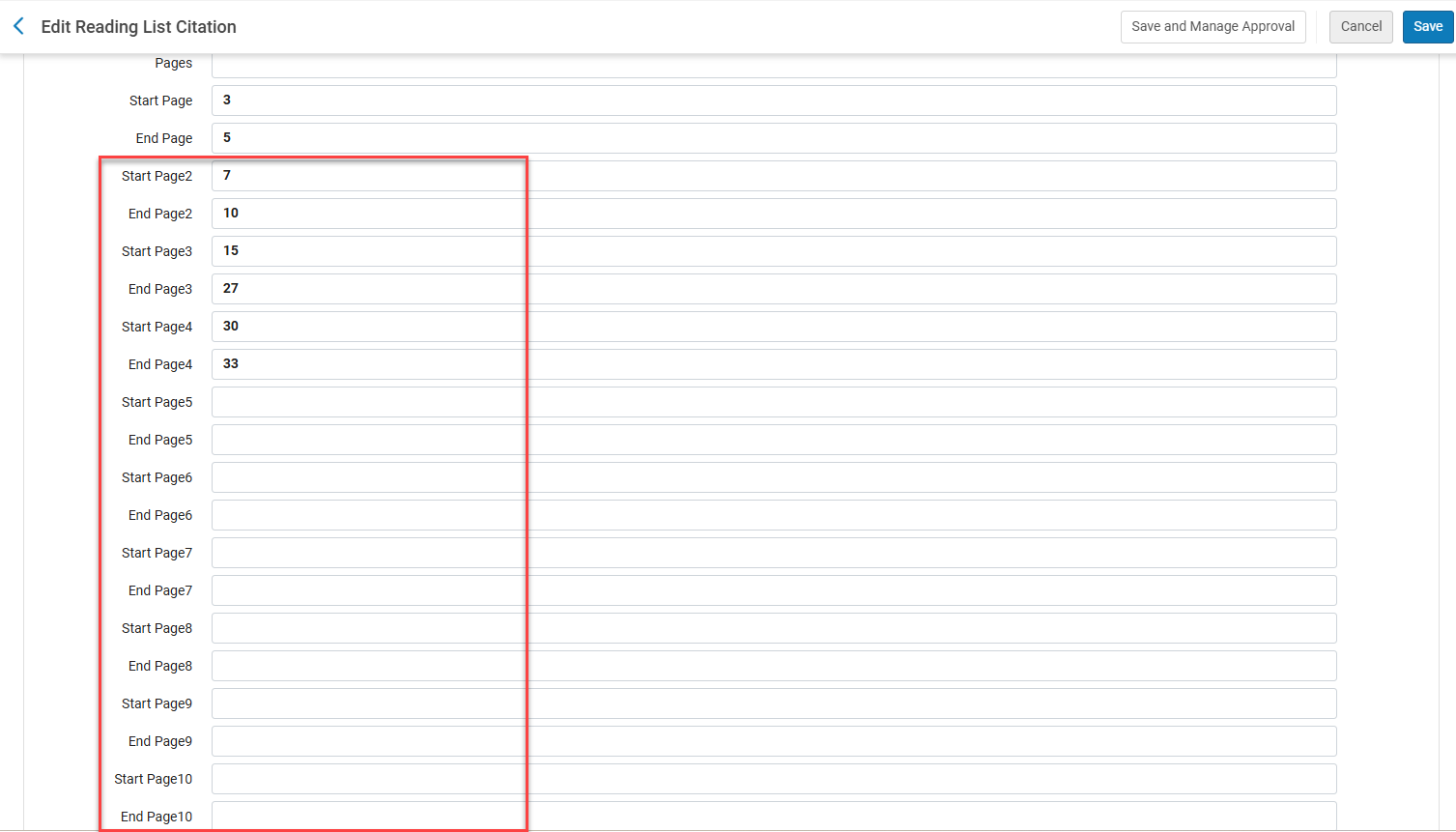
The requested pages are added to the Alma Citation Details/Leganto full details Library services section.
The additional page ranges are now available when adding a Manual entry.
These page ranges are viewable from the Item details.
The additional page range requests do not apply to:
- Import (lgn, BibTex,RefWorks, Mendelay, EndNote, Zotero)
- Export (PDF, Word EXL style, Excel, RefWorks)
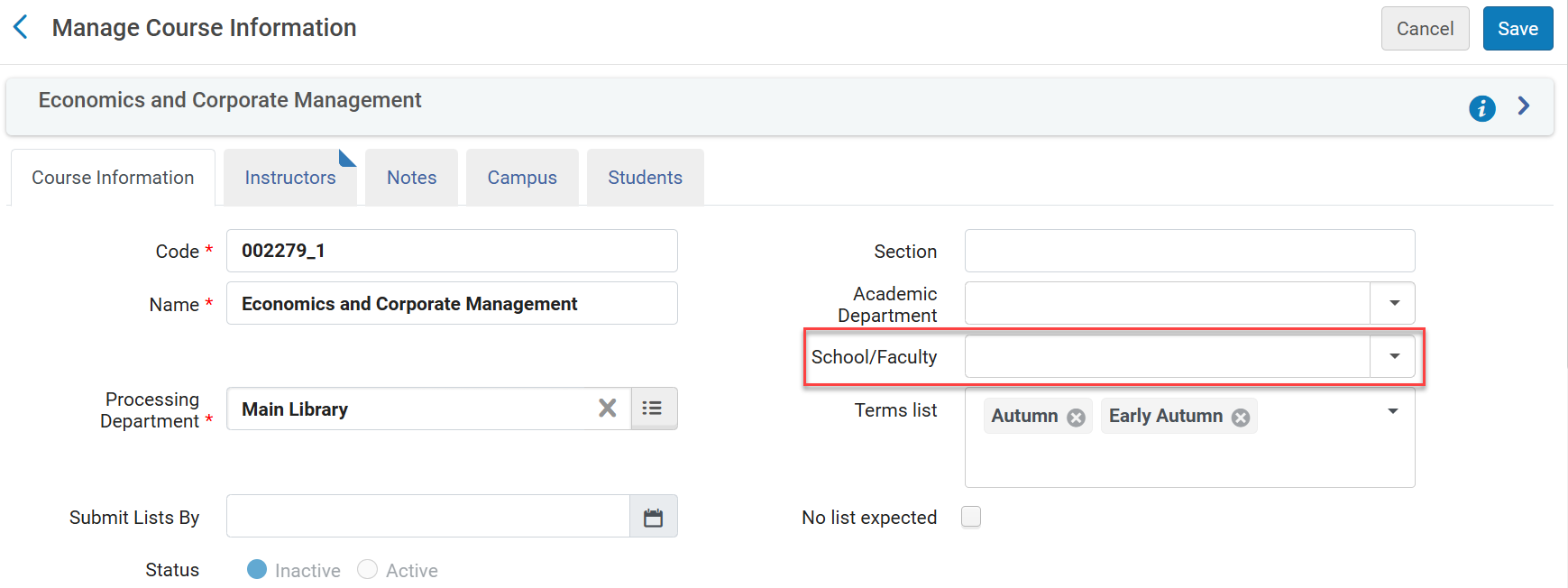
Additional Field for School/Faculty on the Course Record
May 2025 Fulfillment and Resource Sharing  Idea Exchange URM-78669 SF: 05700069
To enable institutions to create a report at the faculty level, when a School/Faculty is configured (Configuration > Fulfillment > Courses > School/Faculty), Leganto now includes a School/Faculty dropdown list on the Course Information.
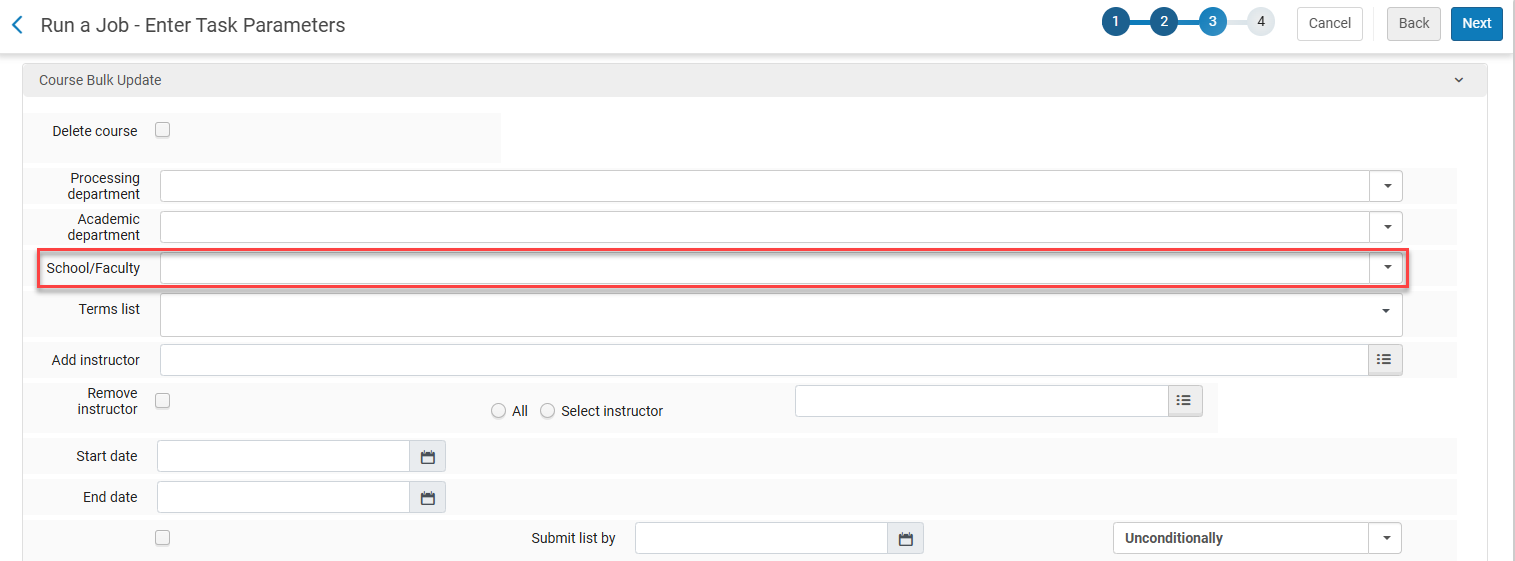
Additionally, the School/Faculty dropdown list is available on the Course Bulk Update job.
This feature is currently unavailable for the course loader and will be available in Analytics in a future release.
Additional Enhancements
-
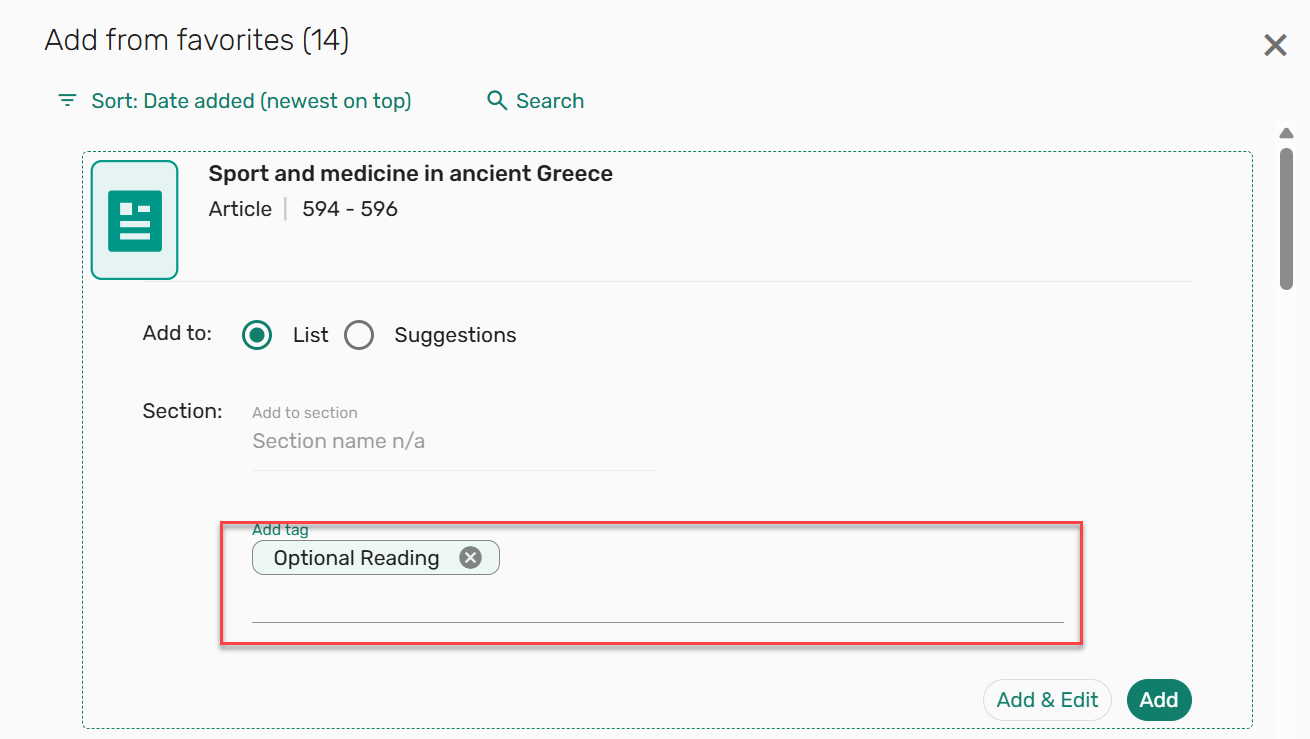
May 2025 Leganto URM-224132 When adding items to a list, tags can now be added from the Add screen, before the item is added to the list.
-
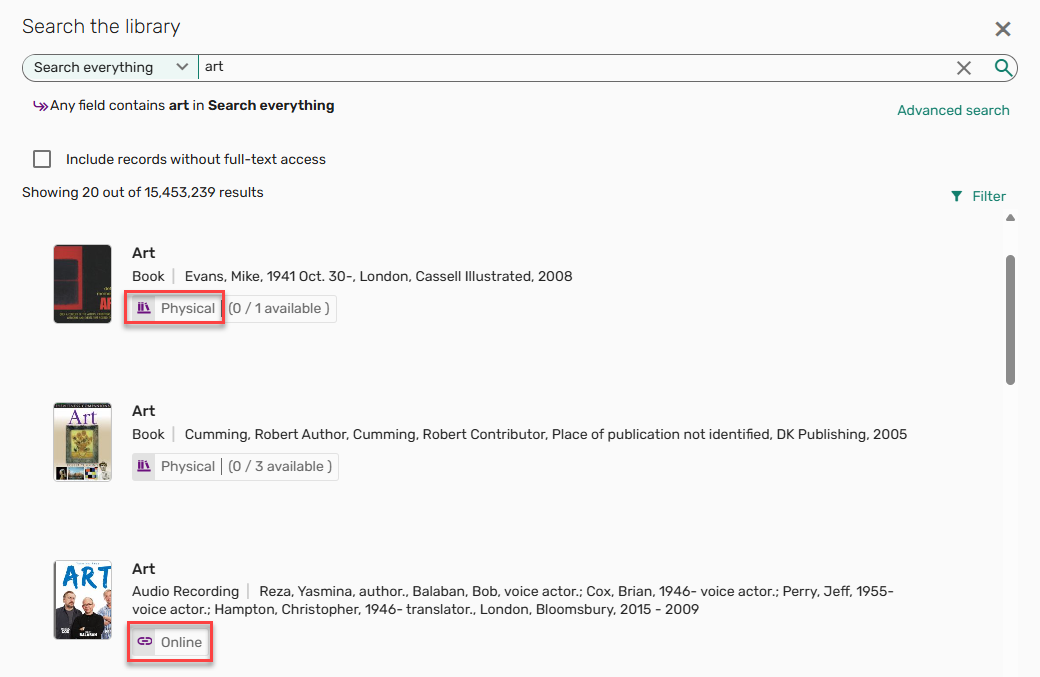
May 2025 Leganto URM-235508 SF: 07733695 When searching the library, the availability formats are now displayed as Online or Physical. The previous indications for full text online and Electronic have been merged into Online. If both versions are available,Online is displayed first, followed by Physical, and if available at another institution, followed by Available at [INSTITUTION].
-
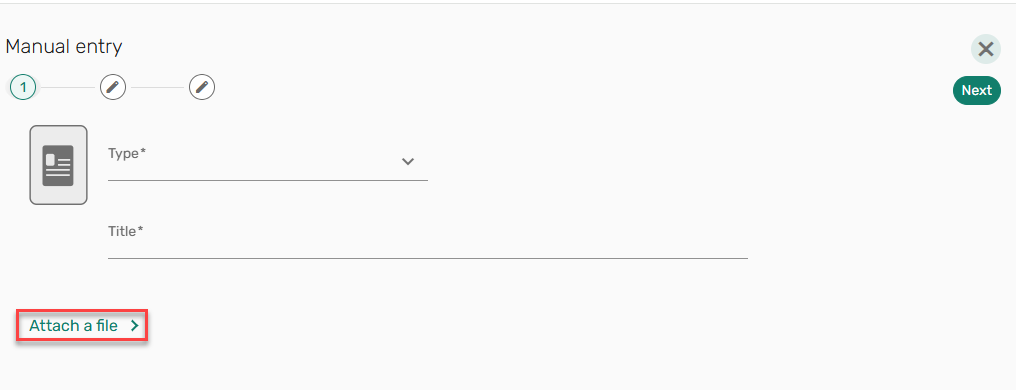
May 2025 Leganto URM-233519 We received feedback that users thought they were required to upload a file when using the Manual entry option. To avoid confusion when adding items using manual entry, the Attach a file section is now collapsed and can be expanded as needed.
-
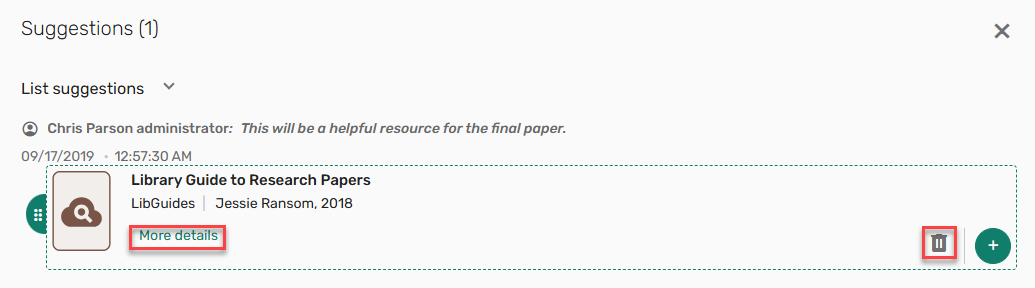
May 2025 Leganto URM-238063 SF: 07230598 When an item in the right pane is collapsed, the More details option is only displayed when hovering over the item. Additionally, to avoid confusion, the Delete button is now a trash can icon
 .
.
-
May 2025 Leganto URM-237556 When an item is copied or moved, if any links are set first or hidden, those settings are now retained when copying/moving an item.
-
May 2025 Leganto URM-243587 Leganto now includes a dedicated on_locate parameter for managing existing citation information using the Manage link to library action. Possible values for the parameter library_link_to_library_locate (Configuration > Leganto > Features > Leganto Features) are merge,override,overlay(default),overlay_no_type, or blank.
-
May 2025 Leganto URM-229179 Previously, some parts of Leganto did not support the minimum target size for WCAG 2.2 AA compliance. The minimum target size for WCAG 2.2 AA compliance is now supported throughout Leganto.
-
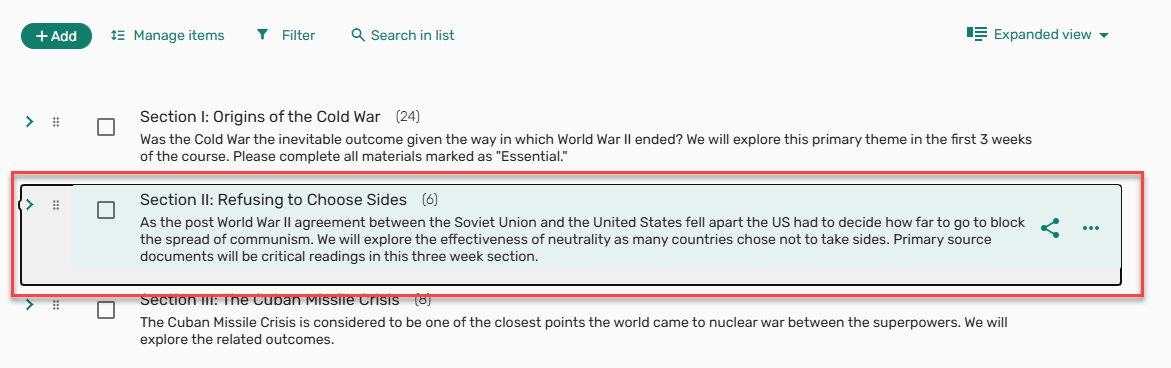
May 2025 Leganto URM-234964 To better support accessibility, when the handler is on focus, sections (when collapsed) and items can now be moved using the up and down arrows on the keyboard.
-
May 2025 Leganto URM-233501 The item type Note now includes the Move and Copy actions. This can also be done in bulk.
-
May 2025 Leganto URM-232694 The Suggestions Replacement suggestions now includes a View original item link. Selecting this link opens a pop-up with the originalcitation metadata.
For more information, see Offering a Citation Replacement for an Existing Citation.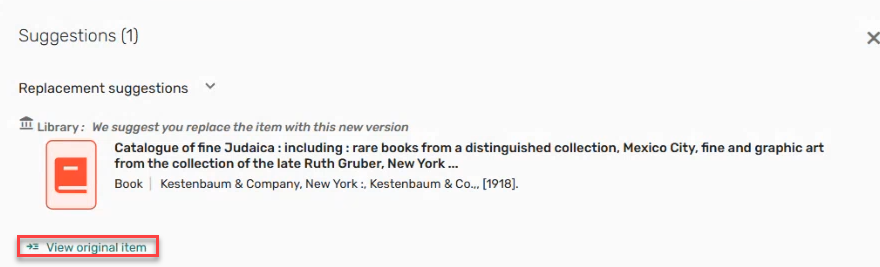
- May 2025 Leganto URM-238072 URM-234784 URM-232905 URM-232694 SF: 07809773 For Norwegian customers using the Bolk integration,
- Users with a Leganto Bolk operator role can now view the Bolk digitization status (Clearance – approved,Clearance — waiting for approval,Clearance — action required) on the brief view as a system tag.

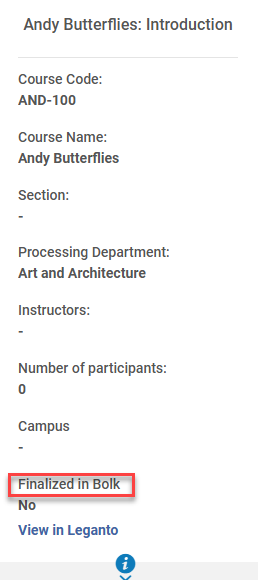
- The Bolk Locked checkbox in Alma was replaced with a Finalized in Bolk indication. It is displayed for all courses with a Yes or No indication.
- When a list is already finalized in Bolk, when selecting review Bolk, if the connection fails, the error message displayed is now derived from bolk.clearance.finalized.failed.toast(Configuration > Leganto > General > Labels - New UI).
- When Bolk returns an error message, the message is now displayed rather than the error code.
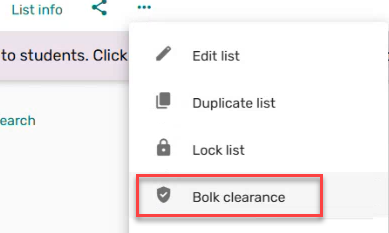
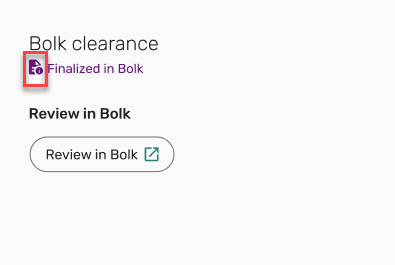
- The menu action Bolk clearance icon and Bolk clearance window icon were updated.
- Users with a Leganto Bolk operator role can now view the Bolk digitization status (Clearance – approved,Clearance — waiting for approval,Clearance — action required) on the brief view as a system tag.
-
May 2025 Leganto URM-239879 Leganto now supports Primo VE views associated with a specific Alma library, a setup option predominately used by institutions that share an Alma instance. The Search the library dropdown list reflects the Primo view selected in Configuration > Discovery > Display Configuration > Configure Views. Results associated with the library’s Primo VE view are displayed in the Leganto Search the library. When items are added to Leganto lists, inventory associated with the library’s Primo VE view is displayed. Only links available at the associated library are displayed.
For more information, see Configuring Repository Search in Leganto. Contact support to enable this feature.
-
May 2025 Leganto URM-207230 SF: 06898485 06936750 Cite It! now supports *.gov.uk sites.
For more information, see Adding a Citation from a Website (Using_Cite It!).
-
May 2025 Leganto URM-237974 When Leganto is set to create courses from LTI but no other options are configured for the parameter cms_entry_actions(Configuration > Leganto > LTI > Settings), the course is now created and an error message is displayed. The label error.CMS_entry can be configured from Configuration > Leganto > General > Labels - New UI.
For more information, see Creating Courses Manually from an LTI Link.
-
May 2025 Leganto URM-236042 URM-239195 The label list.search(Configuration > Leganto > General > Labels - New UI) is now configurable. The default Description was changed to Search in list.
Additionally, in response to the development for the Recycle bin, the text This cannot be undone. was removed from the labels list.bulk_actions.delete.confirmation_message and list.bulk_actions.section.delete.confirmation_message(Configuration > Leganto > General > Labels - New UI) for customers who have not customized these labels.
-
May 2025 Leganto URM-237440 The parameter description reading_list_citations_complete(Configuration > Leganto > List Management > Course Reserves Automatic Statuses) now includes the following text:If the reading list is not already in the configured status, the List status will only change when the last citation is manually set to Complete.
For more information, see Configuring Automatic Approval of Imported Resources in Leganto.
-
May 2025 Analytics URM-240622 The Page Range field was added to Course Reserves > Citation Copyright. It displays the range of pages for which the copyright is required and replaces the following fields, now marked as deprecated.
- Required Pages from 1
- Required Pages from 2
- Required Pages to 1
- Required Pages to 2
If you have reports using the deprecated fields, they must be changed to the new Page Range field. The out-of-the-box copyright reports will be updated in a future release. -
May 2025 Analytics URM-240299 The following reports now have a filter limiting the results to display active courses only (Course Status is equal to / is in Active):
- Leganto Instructor's Usage – Citation Usage
- Leganto Instructor's Usage – List KPIs
- Leganto Instructor's Usage – Weekly Citations active students
- Leganto Instructor's Usage – Weekly List active students
-
May 2025 Analytics URM-240299 HTML tags were removed from the display of the following fields in the Course Reserves, Leganto Student Usage, and Leganto Instructor Usage subject areas:
- Reading Lists > Leganto Reading List Description
- Leganto Reading List Sections > Section Description
- Reading List Citations > Citation Public Note
In addition, HTML tags were removed from the display of the Purchase Requests > Reading List Citations > Citation Public Note field.
This enhancement removes all text between HTML brackets (<>) even if not HTML code. -
May 2025 Analytics URM-240299 The Leganto Citation Link Set First field is now available under the following dimensions. It indicates (Yes/No) if a link is set first in the citation:
- Course Reserves > Reading List Citations
- Leganto Student Usage > Citations
- Leganto Instructor Usage > Citations
- Purchase Requests > Reading List Citations
Resolved Issues
| SF number | Description |
|---|---|
| 07923189 URM-245112 | Previously, the base URL was added to the thumbnail URL when thumbnails were added from Third Iron. This was fixed. |
| 07925478 URM-244117 | Previously, when a copyright expired, the E and P inventory was no longer visible on a citation. This was fixed. |
| 07934182 URM-243998 | Previously, the list Recent Changes tab included null in the text. This was fixed. |
| 07898825 URM-243993 | Previously, when copying a section in bulk, the list's Current Request for Review did not update. This was fixed. |
| 07926359 URM-243989 | Previously, after associating a course with a list, the page required refreshing to see the instructors. This was fixed. |
| 07923101 URM-243557 | When creating a new list, adding a section was disabled until the page was refreshed. This was fixed. |
| 07924052 URM-243531 | Previously, lengthy citation availability text did not wrap properly. This was fixed. |
| 07913454 URM-243283 | Previously, when search text contained an extra space at the end of the last word, no results were returned. This was fixed. |
| 07915103 URM-243278 | Previously, when restoring a deleted citation with an approved copyright, the copyright dates were changed to the current date. This was fixed. |
| 07885379 URM-243200 | Previously, when removing a list from My lists, the menu options in the following list inherited the menu options of the deleted list. This was fixed. |
| 07906247 URM-243122 | Previously, when the See more formats and editions option was expanded, the item drag indication was not visible. This was fixed. |
| 07906217 URM-242994 | Previously, when dragging an item from a search that included More formats and editions, the horizontal rule indicating where the item would be dropped was missing. This was fixed. |
| 07907453 URM-242705 | Previously, Publication/Creation date was displayed in the Newspapers Advanced Search even though the data was not indexed. This was removed. |
| 07873760 URM-242500 | In some cases, the Leganto Full Detailed Notifications Email Letter (Configuration > General > Letters > Letters Configuration) was not sent when it should have been. This was fixed. |
| 07816960 URM-242353 | Previously, Library external tags were not displayed in the filter. This was fixed. |
| 07866873 URM-241590 | Previously, the Recent Changes tab displayed duplicate citation titles. This was fixed. |
| 07870675 URM-241367 | Previously, when exporting Leganto analytics, the numerical fields were formatted as text and could not be used in calculations. This was fixed. |
| 07878987 URM-241225 | Previously, when rolling over a list, the Item status checkbox was automatically selected, causing citation statuses to be copied rather than recalculated. This was fixed. |
| 07827513 URM-239971 | When student notes contained two URLs, the second URL did not work as expected. This was fixed. |
| 07840322 URM-239822 | Previously, public notes in the mobile view were not displayed as expected. This was fixed. |
| 07247876 URM-237244 | Previously, when the Reading Lists Bulk Update job (Admin > Manage Jobs and Sets > Run a job) completed with errors, the errors were not visible. This was fixed. |
| 07261892 URM-231780 | In some cases, users had options that were not allowed for their roles. This was fixed. |
| 07846097 URM-245625 | Previously, moving a citation did not work as expected. This was fixed. |
